
Now available
Ads Pantry ConciergeCustom ads based on your business
We create ads based on your website. We start by building a brand guide based on your success. We set your ads strategy based on what your competitors are doing, what customers in your area are asking for, and our success in your industry. We build the ads, test them, improve them, and do it again, every month.
Every ad is built according to your brand guide: the colors, the type, the personality of the message. It's all you, only better.
Ads Pantry Concierge comes with every plan. Here's how it works.



One click: from subscription to ranked ads
Ads Pantry Concierge starts on your brand guide and your local market the moment you subscribe and add your website. Custom ads follow the next day.
- Step 1
Add your website
Type in your site when you sign up. We only read the pages you own, and only after you confirm the business is yours.
- Step 2
Analyzing your site
Ads Pantry Concierge finds the colors and fonts for your brand guide and reads your services and service area for marketing advantages. We also make a note of each of your claims and how you back them up.
- Step 3
Brand guide and strategy
Your brand guide and local ads strategy are built on your location, the demand in your area and, on Master Chef and up, how to counter your competitors this month.
- Step 4
Ads in your brand
Each month, ad concepts are made from your brand guide and strategy, checked against Meta's rules and your claims, and scored for how well they should work. We also score them against best practices for your industry, built into our own review system.
- Step 5
Run, Fix or Kill
Send a note and we'll fix it. Kill it and we'll swap in the next concept. On Michelin Chef, you also see how each running ad is doing. Ads Pantry Concierge is here to make the most of your marketing and your budget.
Oz HVAC, Northwest Arkansas
Oz HVAC is the heating and air division of Oz Home Services in Bentonville, with crews in Rogers and Springdale. In late October, the slow month between AC season and the first freeze, Ads Pantry Concierge read their website and our team reviewed their 18 existing Meta ads. This test run was done before launch, so our team made the plan and the ads by hand, following the same steps Ads Pantry Concierge takes. The screenshots are from a preview of the new Ads Pantry account with their details loaded.
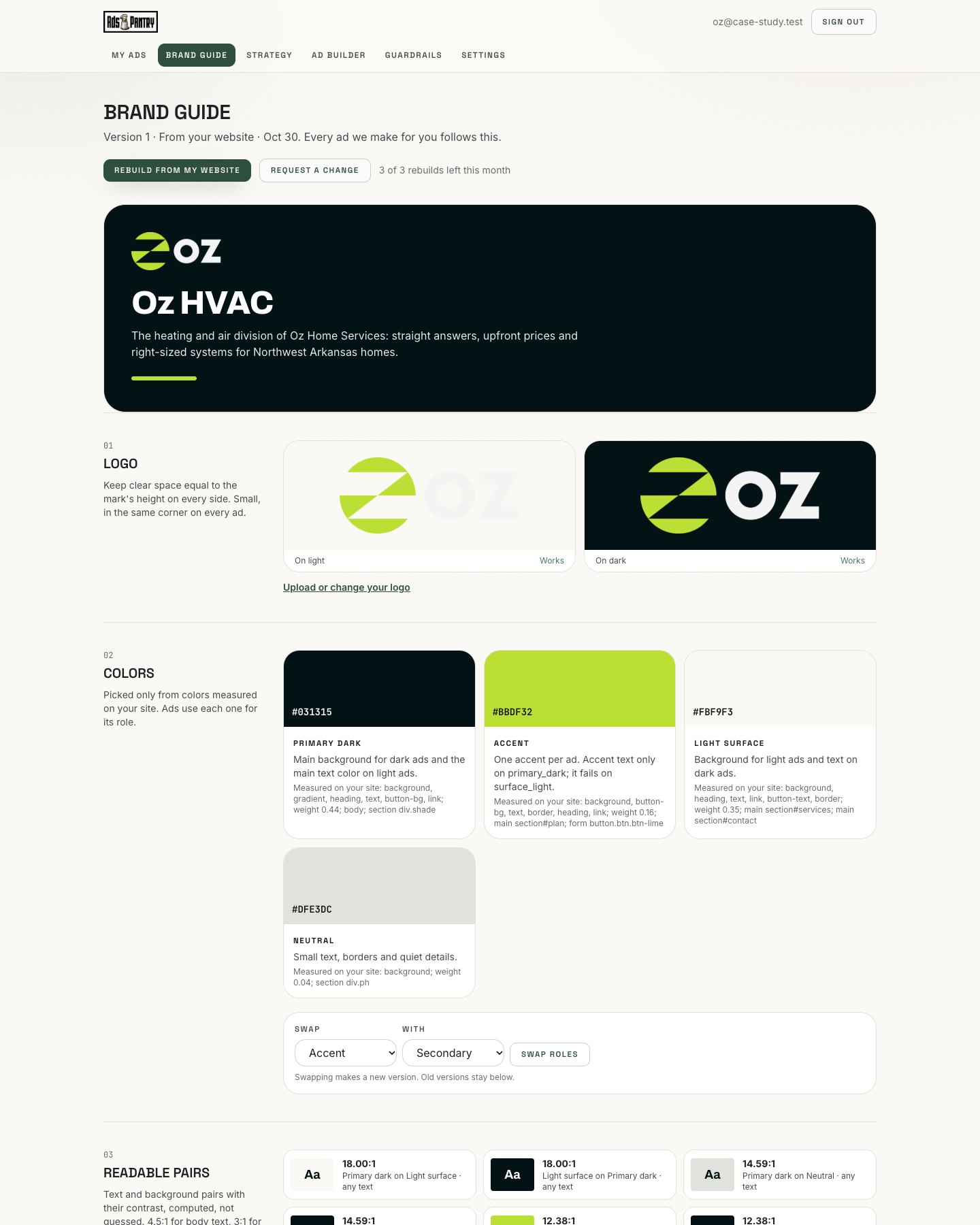
What Ads Pantry Concierge found on ozhvac.com
#031315
Main dark color
Backgrounds, headlines and buttons
#FBF9F3
Light background
Page background and text on dark
#BBDF32
Lime accent
Buttons and the highlighted word in each headline
Font: Archivo, the same bold, tight lettering their site uses. The lime accent reads clearly on the dark color but almost disappears on the light one, so lime words only ever go on dark.
- On the siteSame-day service on most repair calls
- On the siteUpfront, flat-rate pricing
- On the siteFree estimate on new systems
- Needs a yesFree inspection and $500 off: not on the site. Our team found them in Oz's old ads.
- Kept outFinancing: the site says it is available but lists no terms
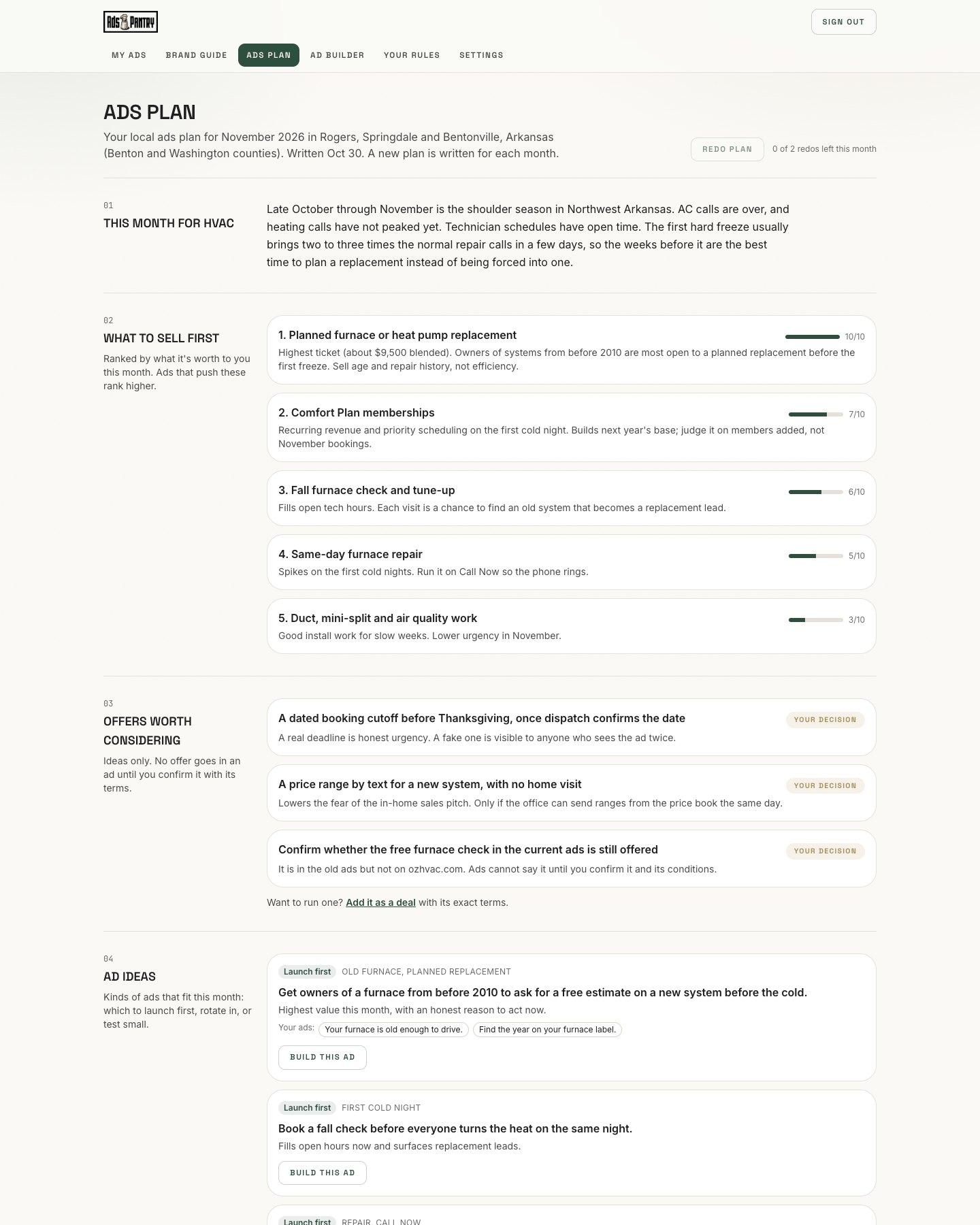
Their ads plan for November
We looked at the trade, the towns and the calendar. Late October through November in Northwest Arkansas is a slow stretch: AC calls are over and heating calls have not peaked. So we put planned replacements first, then the Comfort Plan, then fall checks that fill open technician hours.
- 1. Planned furnace and heat pump replacement
- 2. Comfort Plan memberships
- 3. Fall furnace check and tune-up
- 4. Same-day furnace repair, with a Call Now button
The plan also says when to switch: the day the forecast first shows 32 degrees in Rogers, pause the "while it's mild" ads and move the budget to repair ads.
Our market-tested ads, rebuilt in their brand
Same headline, same offer, same photo. The placeholder logo was replaced with the real Oz logo, following the Oz brand guide. A stock technician wearing another company's patch was removed. Each new version keeps the old ad's offer word for word so you can compare. The free inspection and $500 off are not on ozhvac.com, so they wait in Needs a yes until Oz confirms them.


Can't get the temperature right


How much longer will this thing last?


New remodel. Old furnace?

What's that foul smell?
New and improved based on your market
Our team wrote fifty new concepts. Each went through strategy and brand guide checks and three review passes, the same ones Ads Pantry Concierge runs, each scoring from a different point of view: a creative director, an art director and a local services marketer. These are the top of the ranked set. Every ad comes in Feed, Stories and Square.
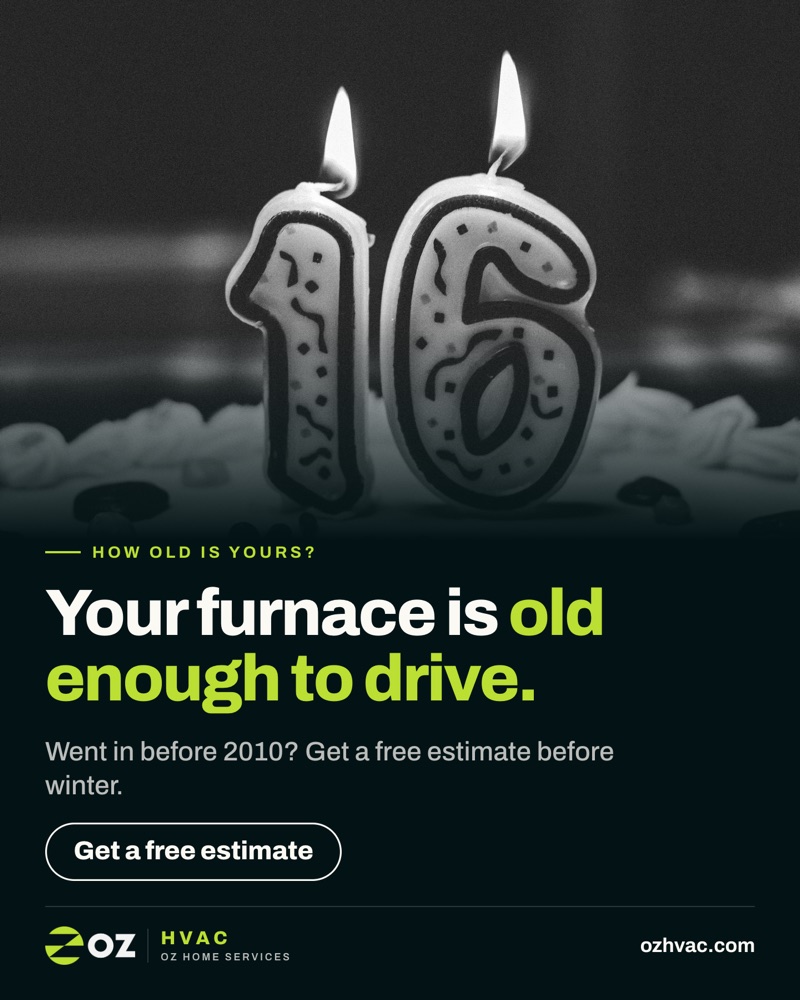
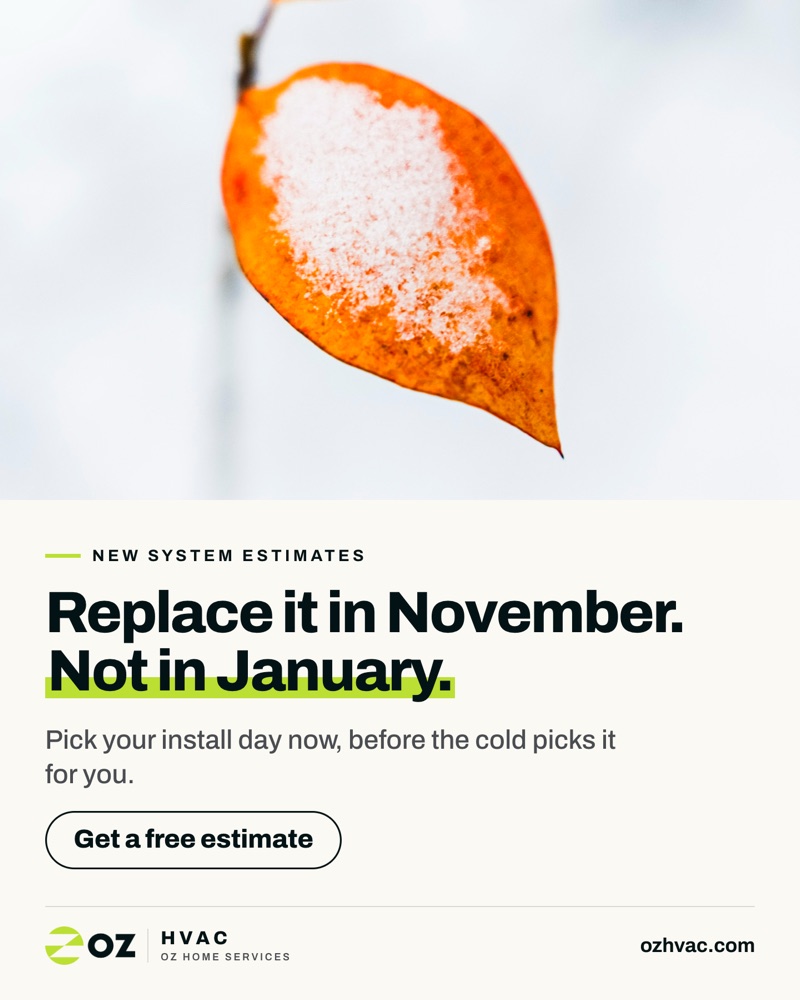
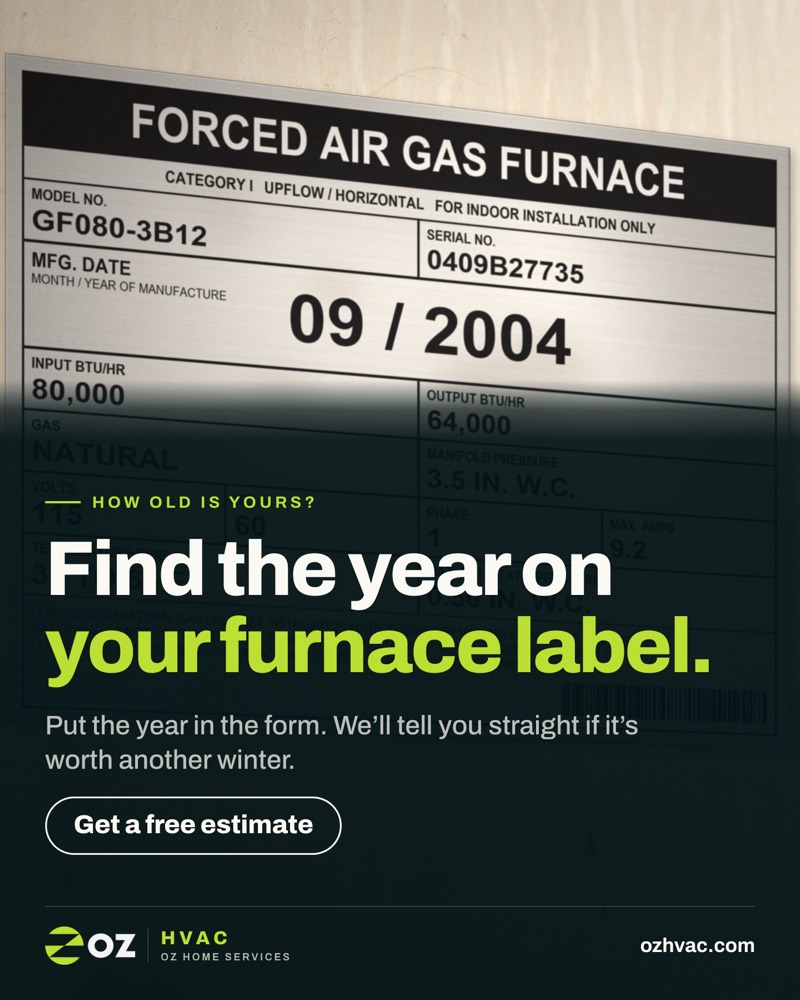
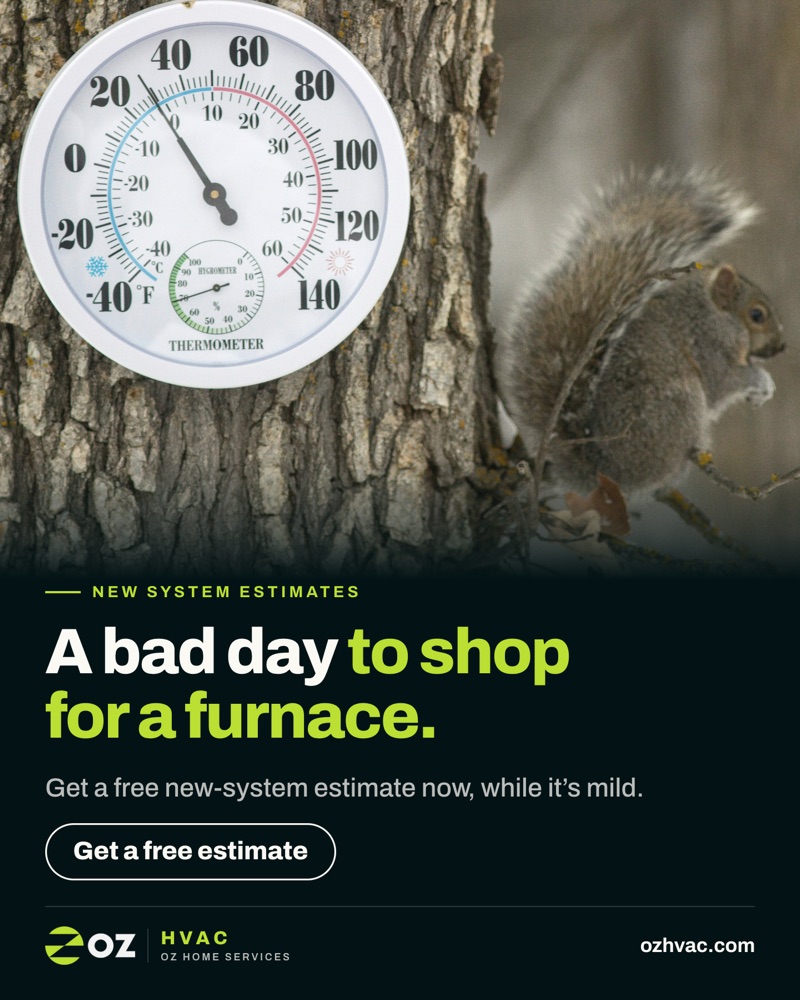
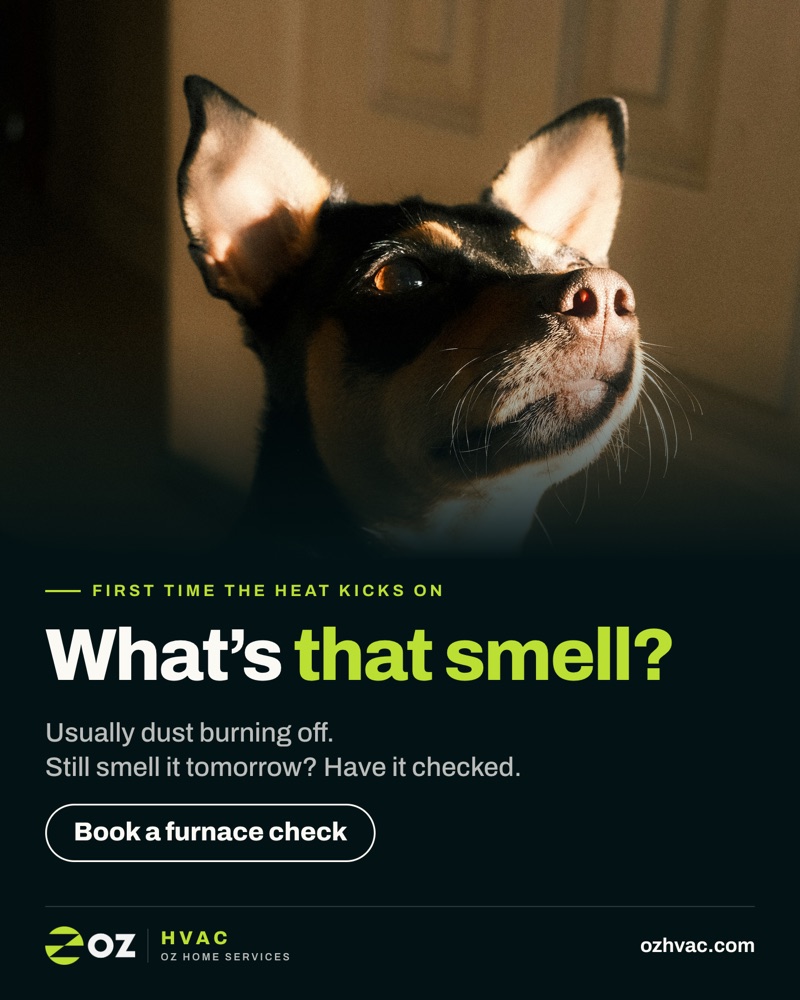
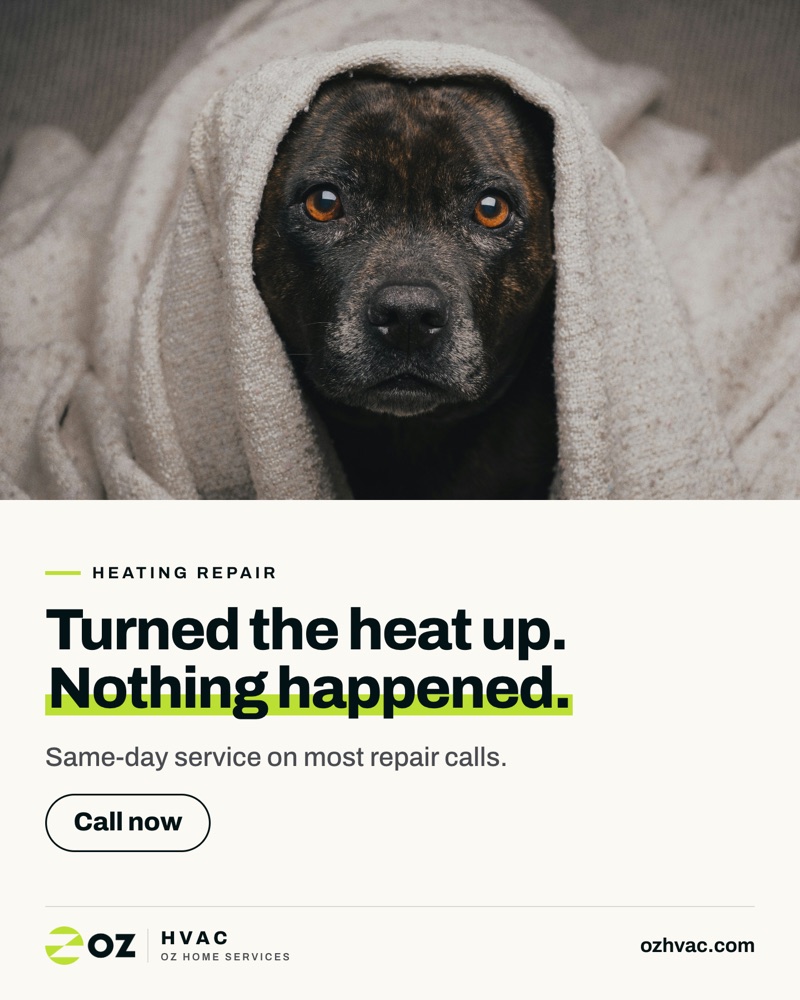
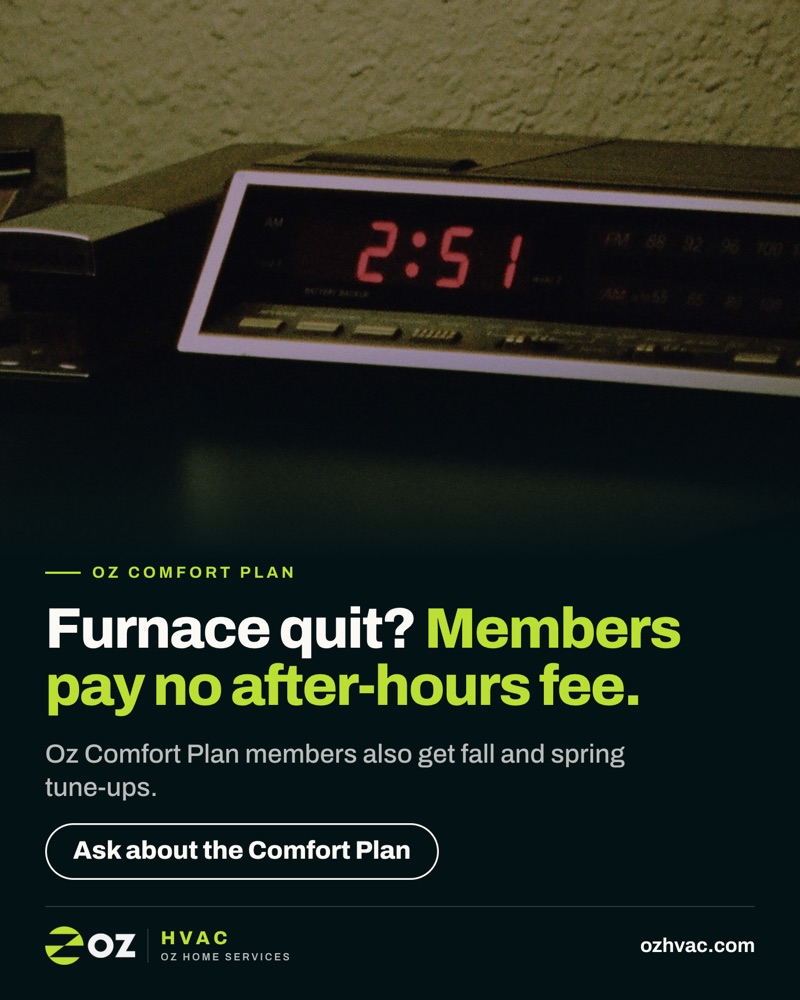
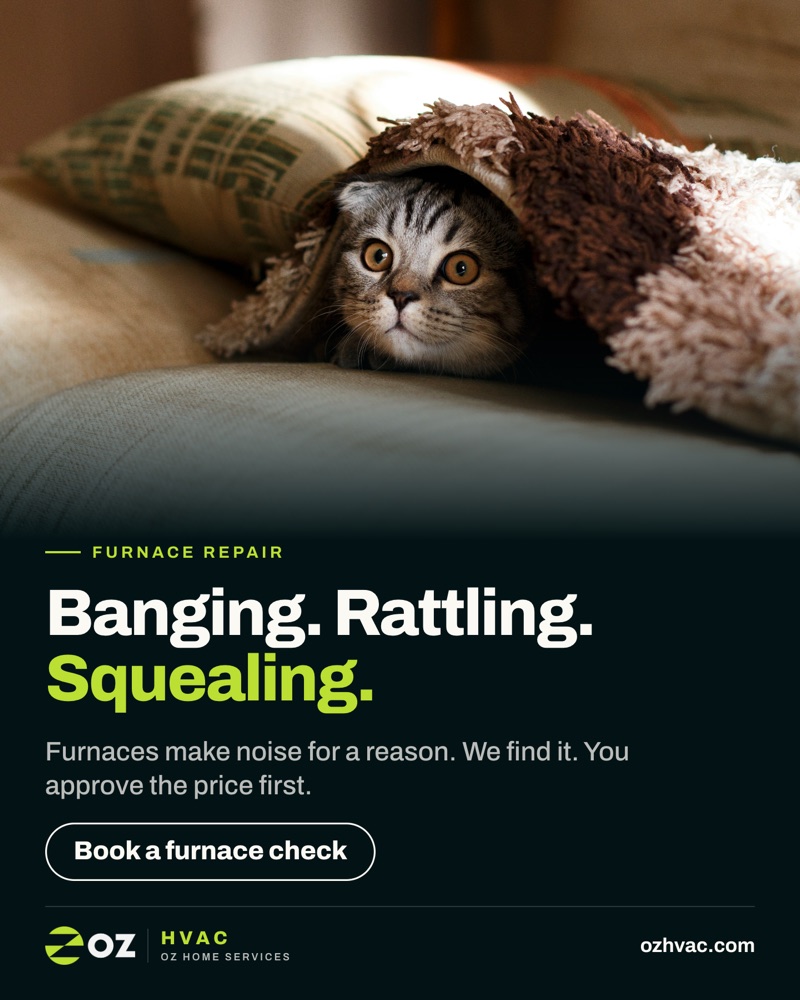
One ad, built for each place it runs
Each ad comes in three sizes, and each size gets its own layout instead of a crop. Here is "Replace it in November" in all three. On the Stories size, the shaded bands show roughly where Meta lays its own profile name, caption and buttons over the ad.
Feed 4:5
Facebook and Instagram feeds. Taller than a square, so it takes up more of the phone screen.
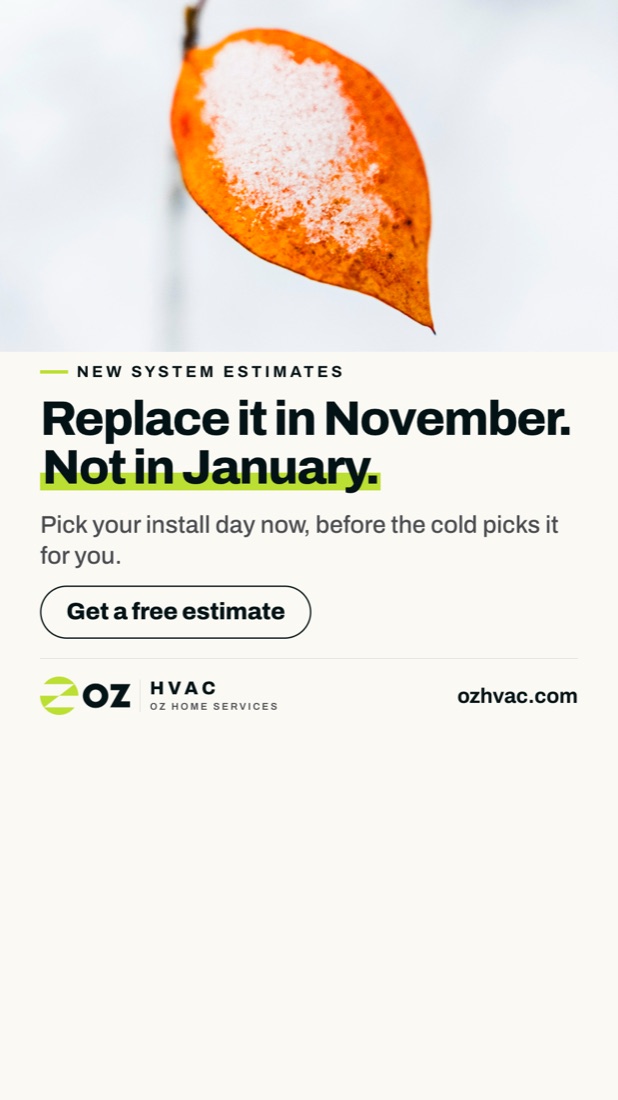
Stories and Reels 9:16
Full screen. The photo can run under the shaded bands. The words, button and logo stay in the clear middle of the screen, so nothing important sits under the caption or buttons.
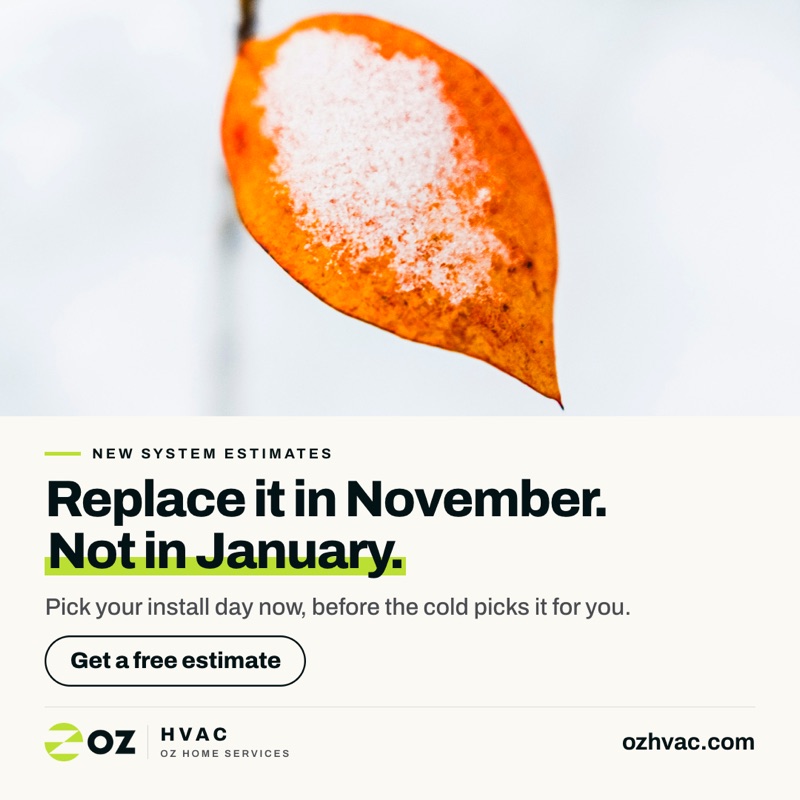
Square 1:1
For spots that show ads as a square. The photo and words are rearranged to fit, not cut off.
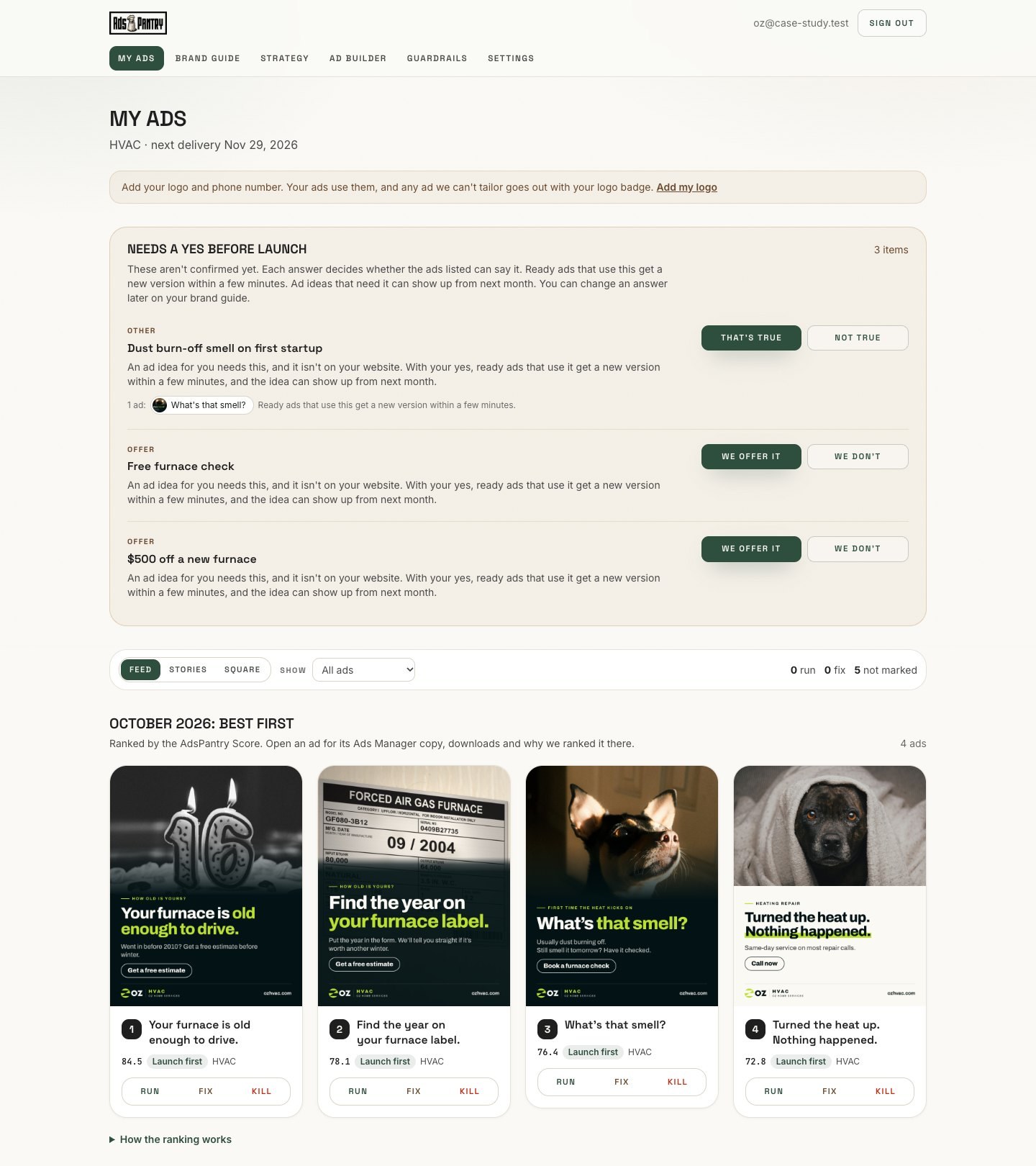
Run, Fix or Kill
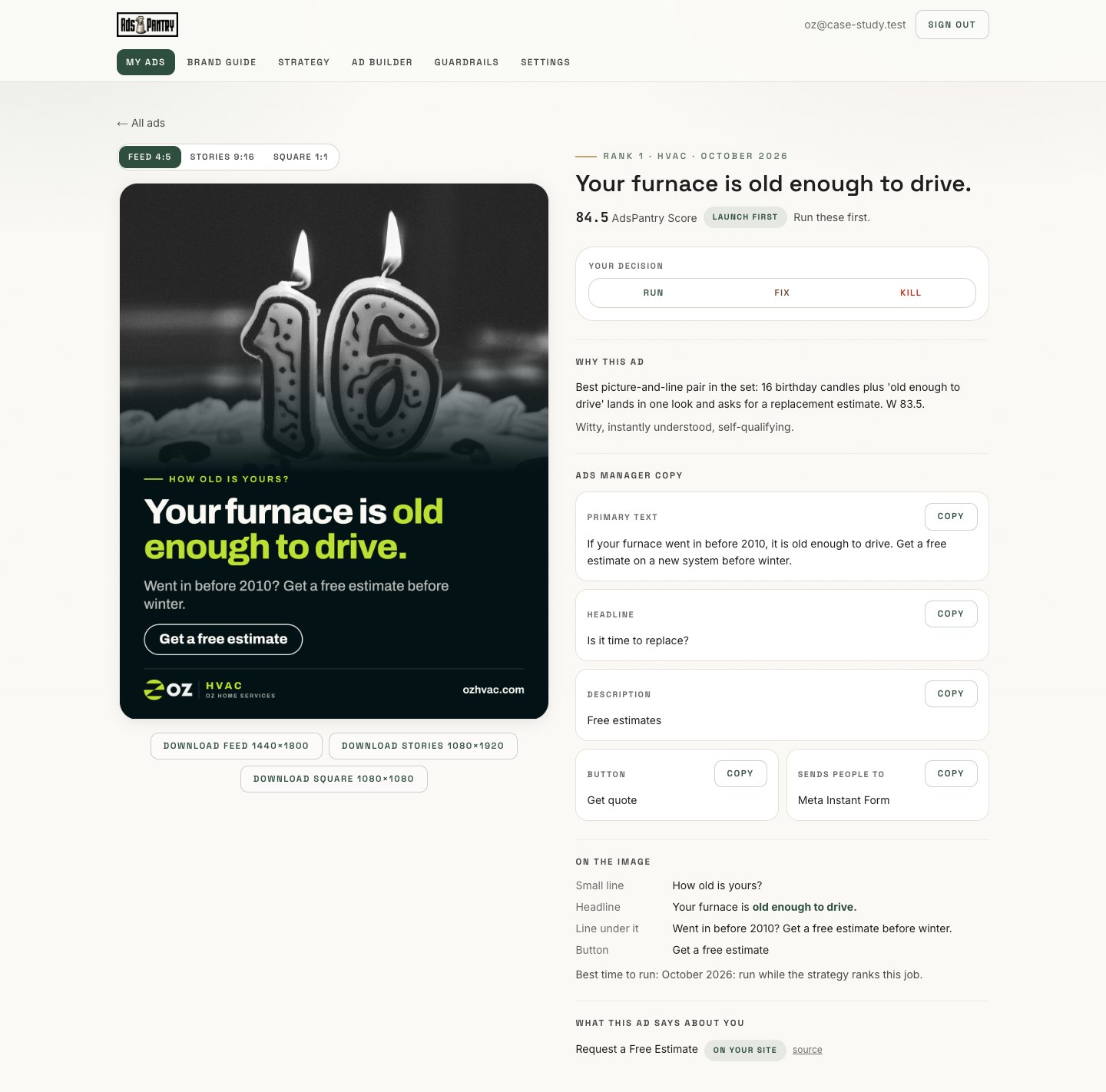
Ads arrive ranked, with a plain reason for each and a note on when to use it: launch it first, save it for later, or try it on a small budget. Each ad shows the exact words to paste into Ads Manager, with a button to copy each part.
- Run marks it ready to download in all three sizes.
- Fix sends it back with your note. You can still see the old version.
- Kill removes it and fills the slot with the next idea.
The Needs a yes list at the top holds offers and claims that aren't on your website, like the free inspection from Oz's old ads. Answer once and every ad with that offer changes to match.
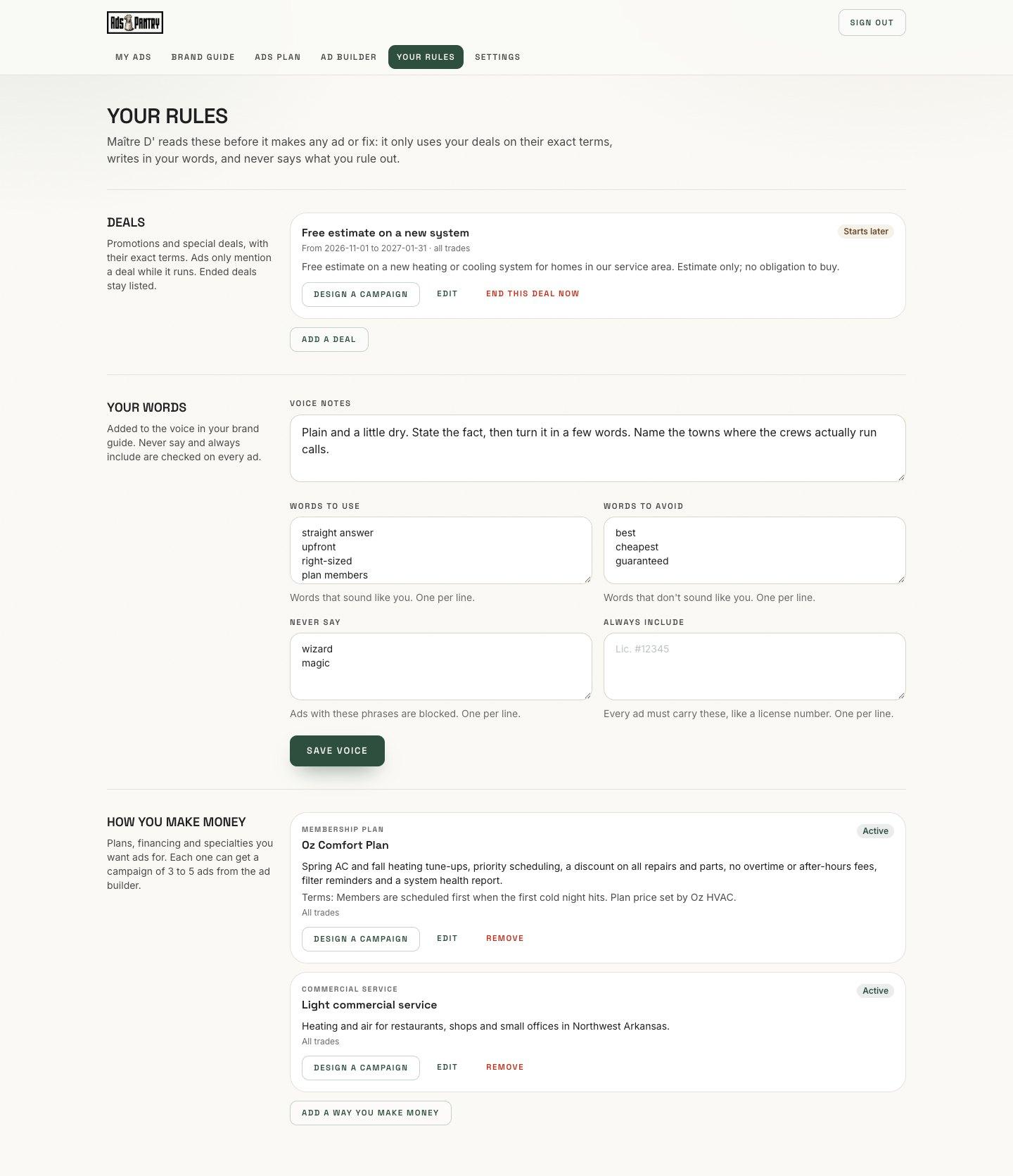
Your rules, your campaigns
On Master Chef, you can talk to Ads Pantry Concierge and add your own rules. These directions are followed for every ad from that point on.
Promotions and deals
Add a deal with its exact terms and dates. It shows up in ads only while it is running, with its terms stated.
Your words
Words you always use, words and claims you never use, and things every ad must include, like your license number.
Campaigns built around how you make money
Add one way you make money, like a maintenance plan, commercial service, emergency calls or a new service line. Press Design a campaign and you'll get three to five ads built around it.
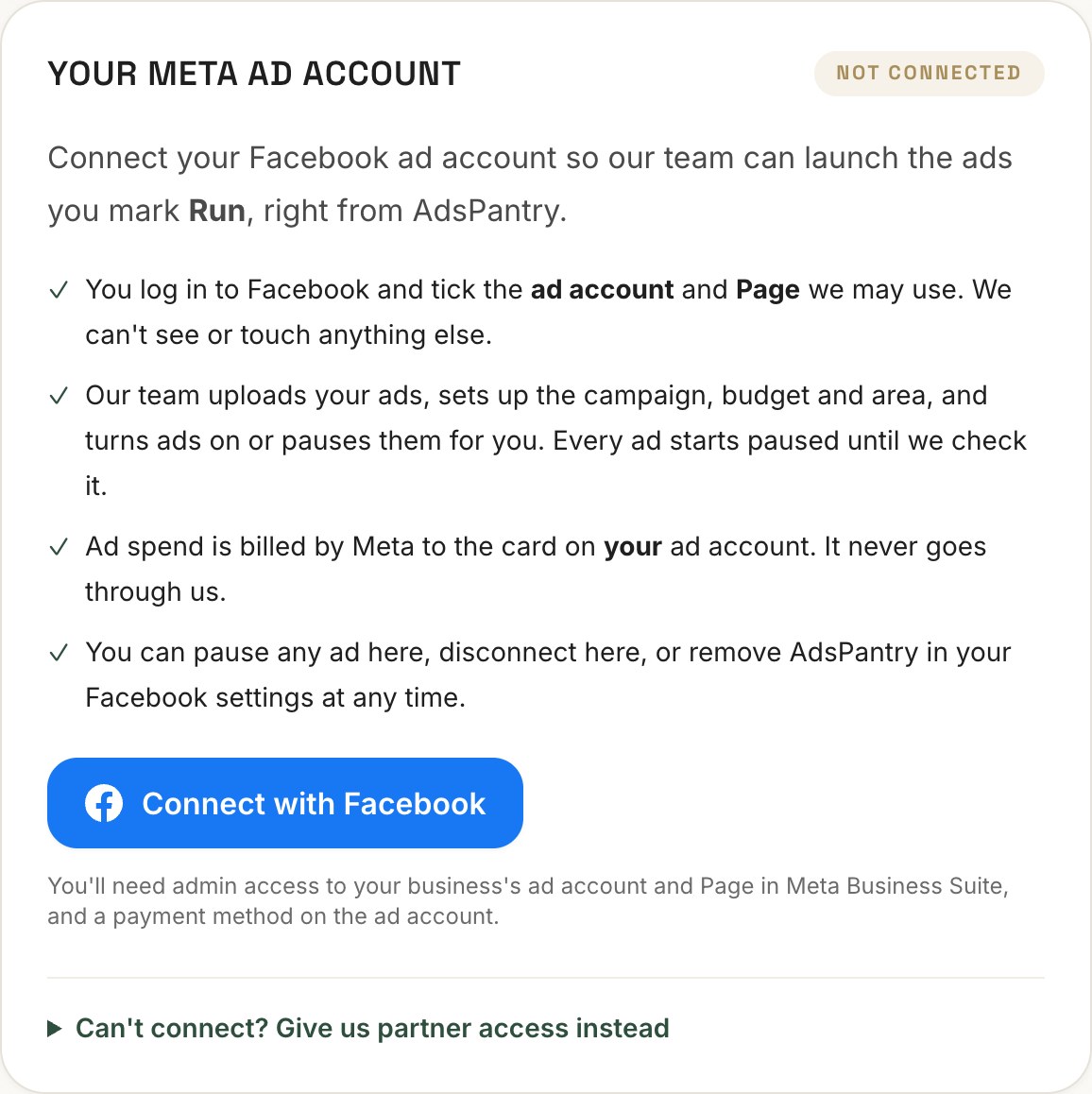
Connect Facebook once. We run the ads.
Click Connect with Facebook, log in, and tick the ad account and Page we may use. Our team uploads the ads you mark Run, sets up the campaign, budget and area, and turns them on after checking every placement.
- Access to that one ad account and Page only, nothing else in your business.
- Every ad starts paused until our team checks the preview.
- Ad spend is billed by Meta to the card on your ad account. It never goes through us.
- See what each ad is doing, pause any ad yourself, or disconnect at any time.
What Ads Pantry Concierge does and doesn't do
No made-up claims
Every offer, number and promise on an ad must match something on your site or something you confirmed. Made-up reviews, stars, prices and guarantees are blocked.
Checked against Meta's rules
Before you see an ad, it is checked against Meta's rules for financing offers, hiring posts and lines that point at a person's age, health or money. Fake play and close buttons that trick people into tapping are blocked. Meta still reviews every ad before it runs.
Readable on a phone
Words, buttons and logo stay clear of what Meta covers on Stories and Reels. Colors that are hard to read together are never paired.
No font license trouble
If your site uses a paid font, the ads use the closest free match, so nobody breaks a font license.
What Ads Pantry Concierge adds to each plan
The perfect campaign begins with the right ingredients. And like a great meal, it delivers every time you're hungry.
Sous Chef
Your ads, in your brand.
- Brand guide from your website
- Local ads plan for your area and trade
- Ads every month for each trade, in your colors, logo and words
- Feed, Stories and Square sizes
- Run, Fix or Kill every ad
- Offers not on your site wait for your yes
Master Chef
Everything in Sous Chef, plus the ad builder.
- Build a new ad from any idea in your monthly ads plan
- Set your deals, your words and the ways you make money
- A monthly look at the deals local competitors are running, and which of your ads to run against them
- Use your own job photos
- Your monthly coaching call stays
Michelin Chef
Everything in Master Chef except the coaching call, and we run your ads.
- We launch and manage every ad you mark Run on your Facebook ad account
- Reports and SEO, same as today
- Ad spend is paid to Meta directly
Prices, and how many ads each plan gets, are in the pricing section on the home page.
Good to know
- Can I use it today?
- Yes. Ads Pantry Concierge comes with every plan: Sous Chef, Master Chef and Michelin Chef. Pick a plan, add your website and confirm the business is yours. Your brand guide comes first, then your ads.
- How much work is it for me?
- Add your website once. Each month, say yes or no to any offer or claim that isn't on your site, and mark each ad Run, Fix or Kill. On Sous Chef and Master Chef you post the ads you mark Run yourself. On Michelin Chef our team posts them for you.
- Who comes up with the ads?
- Our team writes the ad ideas each month, and Ads Pantry Concierge makes each one in your brand and checks it against your claims and Meta's rules before you see it.
- Will my ads ever show a deal I don't offer?
- No. An offer only goes in an ad if it is on your website or you confirm it and its terms. Anything else waits in your Needs a yes list.
- What if I don't have a website?
- Fill in a short brand form instead: your logo, two or three colors, a font style, three words that describe how you talk to customers, and your services.
- Can I change my brand guide?
- Yes. Swap colors or fonts yourself, request any other change, or start it over from your website.
- What do my own rules do on Master Chef?
- You add your current deals with their terms, words you always or never use, and the ways you make money, like a maintenance plan or commercial service. Every ad follows these rules, and you can get three to five ads built around any one way you make money.
- Who places the ads?
- On Sous Chef and Master Chef, you download your ads and post them yourself. On Michelin Chef, you connect your Facebook ad account once, and our team launches and manages every ad you mark Run. Ad spend is paid to Meta directly.